Arrow
A straight arrow connecting two points.
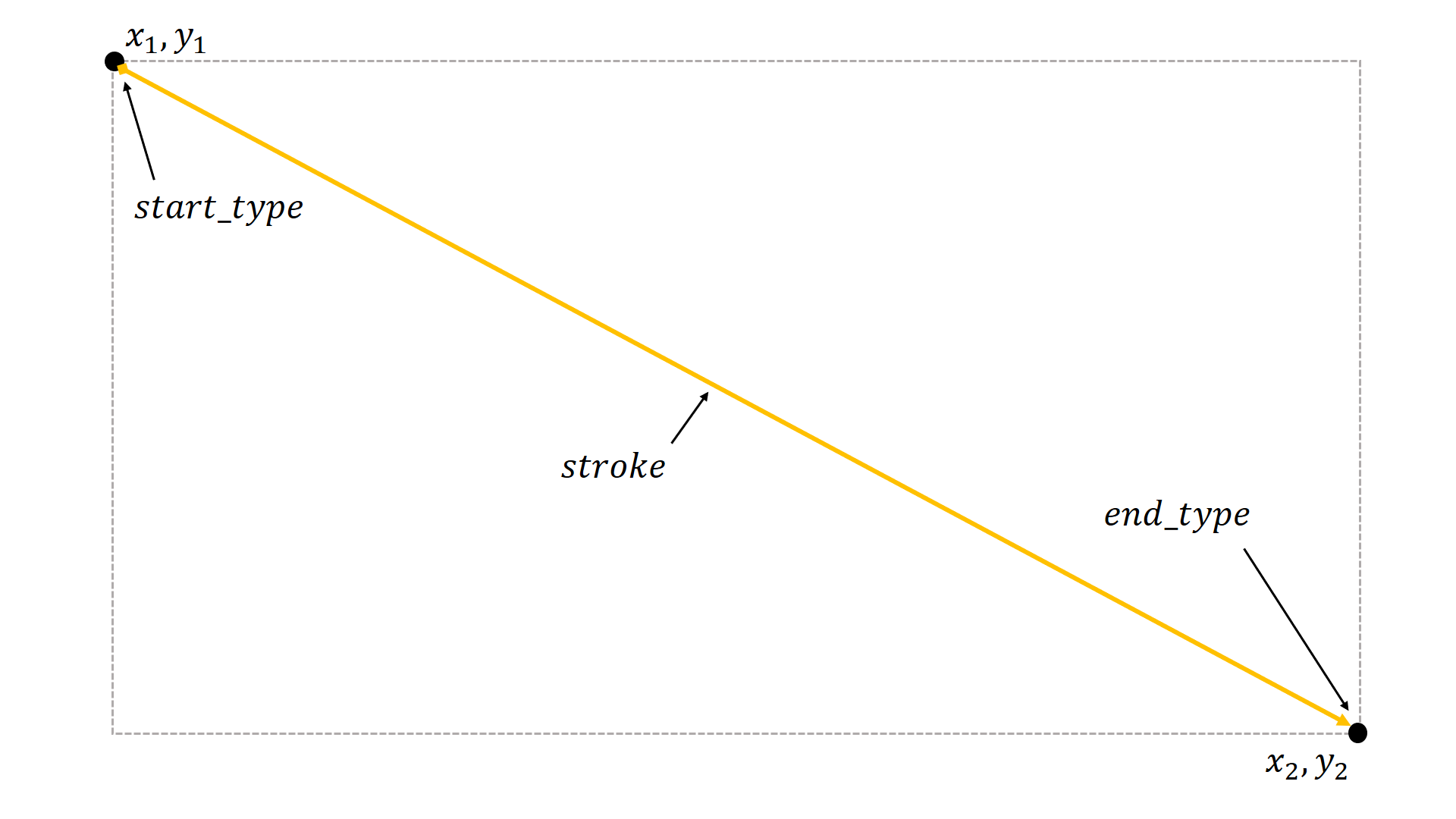
- class pptx_shapes.shapes.Arrow(x1: float, y1: float, x2: float, y2: float, start_type: pptx_shapes.enums.arrow_type.ArrowType = <ArrowType.NONE: 'none'>, end_type: pptx_shapes.enums.arrow_type.ArrowType = <ArrowType.TRIANGLE: 'triangle'>, stroke: pptx_shapes.style.stroke_style.StrokeStyle = StrokeStyle(color='black', thickness=1.0, opacity=1.0, dash=<LineDash.SOLID: 'solid'>))
Parameters
x1(float) – left position of the start point (in centimeters).y1(float) – top position of the start point (in centimeters).x2(float) – left position of the end point (in centimeters).y2(float) – top position of the end point (in centimeters).start_type(ArrowType, optional) – arrowhead type at the start point.end_type(ArrowType, optional) – arrowhead type at the end point.stroke(StrokeStyle, optional) – stroke style.
Example
from pptx_shapes.shapes import Arrow
from pptx_shapes.style import StrokeStyle

Arrow(x1=10, y1=9, x2=14, y2=11, start_type=ArrowType.OVAL, end_type=ArrowType.ARROW, stroke=StrokeStyle(thickness=2))