TextBoxes example
This example demonstrates how to use the TextBox class to add styled text boxes to a PowerPoint presentation.
It shows how to customize:
Font family and size
Text alignment (left, center, right)
Vertical text orientation (via angle)
Fill and stroke styles
Font formatting (bold, italic, etc.)
Overview
This script:
Adds five horizontally aligned text boxes with different fonts and alignments
Adds one vertical, italic, dashed-bordered text box with background fill
Each text box uses:
FontStyle — for font size, family, alignment, color
FontFormat — for extra formatting like bold, italic, etc.
FillStyle and StrokeStyle — for visual styling
TextBox — to place and configure the text shape
Example Code
 1from pptx_shapes import Presentation
 2from pptx_shapes.enums import Align, LineDash
 3from pptx_shapes.shapes import TextBox
 4from pptx_shapes.style import FillStyle, FontFormat, FontStyle, StrokeStyle
 5
 6
 7def main() -> None:
 8    with Presentation(presentation_path="empty.pptx") as presentation:
 9        presentation.add(shape=TextBox(x=1, y=1, width=15, height=2, text="Calibri text", style=FontStyle(size=42, family="Calibri", align=Align.LEFT, color="#dd7373")))
10        presentation.add(shape=TextBox(x=1, y=4, width=15, height=2, text="Arial text", style=FontStyle(size=42, family="Arial", align=Align.CENTER)))
11        presentation.add(shape=TextBox(x=1, y=7, width=15, height=2, text="Times New Roman text", style=FontStyle(size=42, family="Times New Roman", align=Align.LEFT)))
12        presentation.add(shape=TextBox(x=1, y=10, width=15, height=2, text="Consolas text", style=FontStyle(size=42, family="Consolas", align=Align.LEFT)))
13        presentation.add(shape=TextBox(x=1, y=13, width=15, height=2, text="Привет, МИР!", style=FontStyle(size=42, family="Consolas", align=Align.RIGHT)))
14
15        presentation.add(shape=TextBox(
16            x=17, y=8,
17            width=15, height=3,
18            text="Two lines of\nitalic vertical text",
19            angle=90,
20            style=FontStyle(size=35),
21            formatting=FontFormat(italic=True),
22            fill=FillStyle(color="#ddd"),
23            stroke=StrokeStyle(color="#222", dash=LineDash.DASHED)
24        ))
25
26        presentation.save("text_boxes.pptx")
27
28
29if __name__ == "__main__":
30    main()
Result
This example produces a PowerPoint file (text_boxes.pptx) with six text boxes on a blank slide.
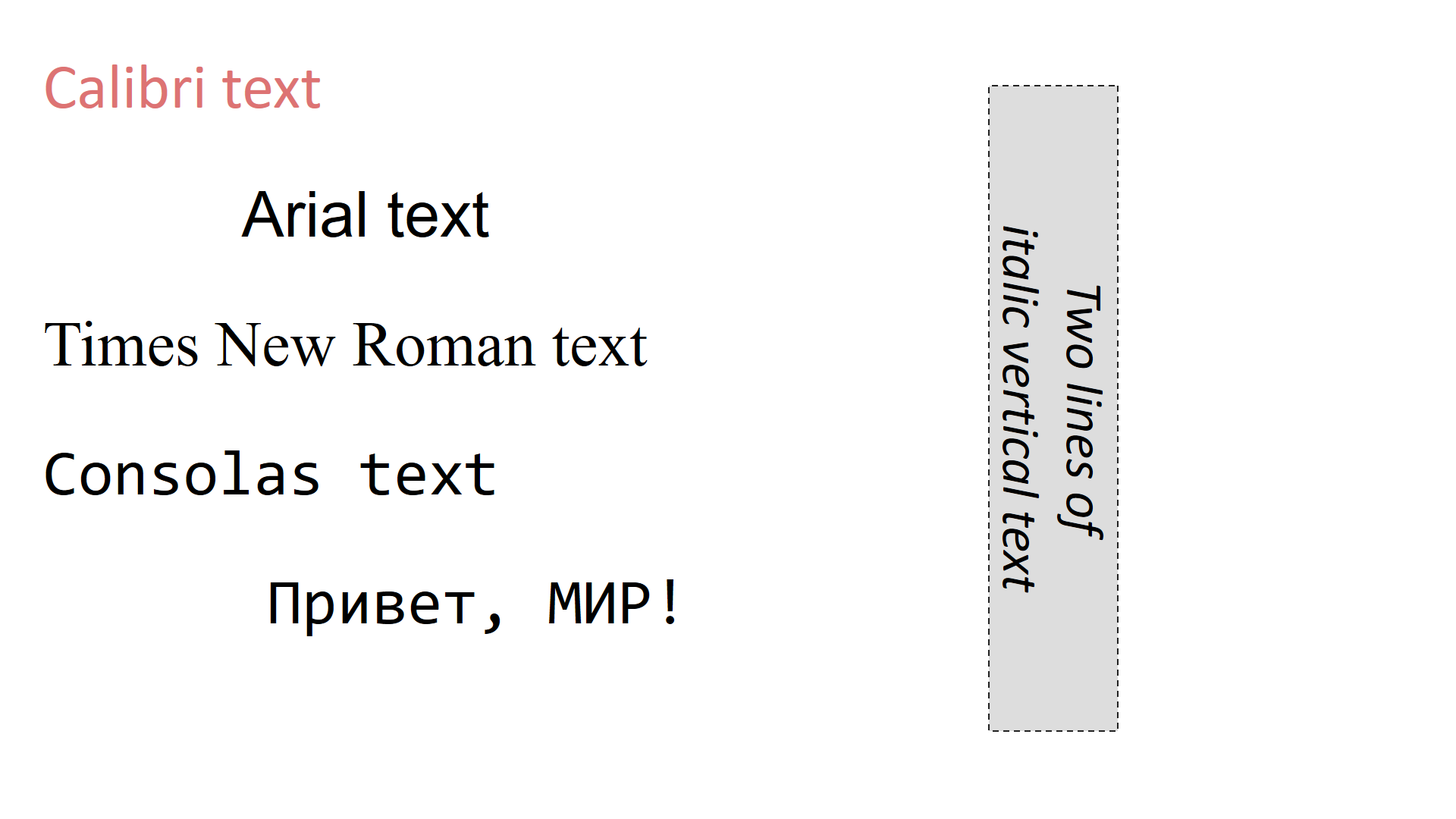
The left column demonstrates different font families and alignment styles.
The right column features a vertically rotated, styled text box with custom fill and dashed border.