Fractal drawing example
This example demonstrates how to generate a colorful recursive fractal pattern on a PowerPoint slide using lines and groups of shapes. It highlights the flexibility of the pptx_shapes library for programmatically creating complex, data-driven illustrations.
The fractal is built by recursively branching from a center point, with configurable depth, angles, and color transitions. It uses the Line and Group shapes, along with custom StrokeStyle for gradient-like effects.
Overview
Start from a central point and recursively add branches
Configure the number of initial and recursive branches
Assign stroke colors dynamically based on recursion depth
Combine all shapes into a single group for easier slide positioning
Fill the background with a solid color for visual contrast by adding full slide rectangle
Example Code
 1import math
 2from dataclasses import dataclass
 3from typing import List
 4
 5from pptx_shapes import Presentation
 6from pptx_shapes.shapes import Group, Line, Rectangle, Shape
 7from pptx_shapes.style import FillStyle, StrokeStyle
 8
 9
10@dataclass
11class Config:
12    start_color: str
13    end_color: str
14    depth: int
15    start_branch_num: int
16    branch_num: int
17    branch_angle: float
18    length: float
19
20    def get_stroke(self, depth: int) -> StrokeStyle:
21        ratio = depth / self.depth
22
23        r1, g1, b1 = int(self.start_color[1:3], 16), int(self.start_color[3:5], 16), int(self.start_color[5:7], 16)
24        r2, g2, b2 = int(self.end_color[1:3], 16), int(self.end_color[3:5], 16), int(self.end_color[5:7], 16)
25
26        r = math.floor(r1 * (1 - ratio) + r2 * ratio)
27        g = math.floor(g1 * (1 - ratio) + g2 * ratio)
28        b = math.floor(b1 * (1 - ratio) + b2 * ratio)
29
30        return StrokeStyle(color=f"#{r:02X}{g:02X}{b:02X}", opacity=1 - math.pow(depth / (self.depth + 1), 2), thickness=0.1)
31
32
33def draw_fractal_line(config: Config, start_x: float, start_y: float, depth: int, degree: float, length: float, shapes: List[Shape]) -> None:
34    if depth > config.depth:
35        return
36
37    start_angle = -(config.branch_num - 1) * config.branch_angle / 2 + degree
38
39    for _ in range(config.branch_num):
40        angle = start_angle * math.pi / 180
41        x = start_x + math.cos(angle) * length
42        y = start_y + math.sin(angle) * length
43
44        shapes.append(Line(x1=start_x, y1=start_y, x2=x, y2=y, stroke=config.get_stroke(depth=depth)))
45        draw_fractal_line(config, x, y, depth + 1, start_angle, length * math.pow(config.length, depth), shapes)
46        start_angle += config.branch_angle
47
48
49def draw_fractal(config: Config, x0: float, y0: float, length: float) -> List[Shape]:
50    shapes = []
51    degree = 360 / config.start_branch_num
52
53    for i in range(config.start_branch_num):
54        angle = degree * i * math.pi / 180
55        x = x0 + math.cos(angle) * length
56        y = y0 + math.sin(angle) * length
57
58        shapes.append(Line(x1=x0, y1=y0, x2=x, y2=y, stroke=config.get_stroke(0)))
59        draw_fractal_line(config, x, y, 1, degree * i, length, shapes)
60
61    return shapes
62
63
64def main() -> None:
65    config = Config(
66        start_color="#ff0000",
67        end_color="#ffff00",
68        depth=5,
69        start_branch_num=7,
70        branch_num=4,
71        branch_angle=75,  # 20..90
72        length=0.93  # 0.6..1.3
73    )
74
75    width = 33.867
76    height = 19.05
77
78    with Presentation(presentation_path="empty.pptx") as presentation:
79        shapes = draw_fractal(config=config, x0=width / 2, y0=height / 2, length=2)
80        presentation.add(shape=Rectangle(x=0, y=0, width=width, height=height, fill=FillStyle(color="#000")))
81        presentation.add(shape=Group(shapes))
82        presentation.save("fractal.pptx")
83
84
85if __name__ == "__main__":
86    main()
Result
This example produces a fractal-like structure radiating from the center of the slide, with smoothly changing colors and transparency to enhance depth.
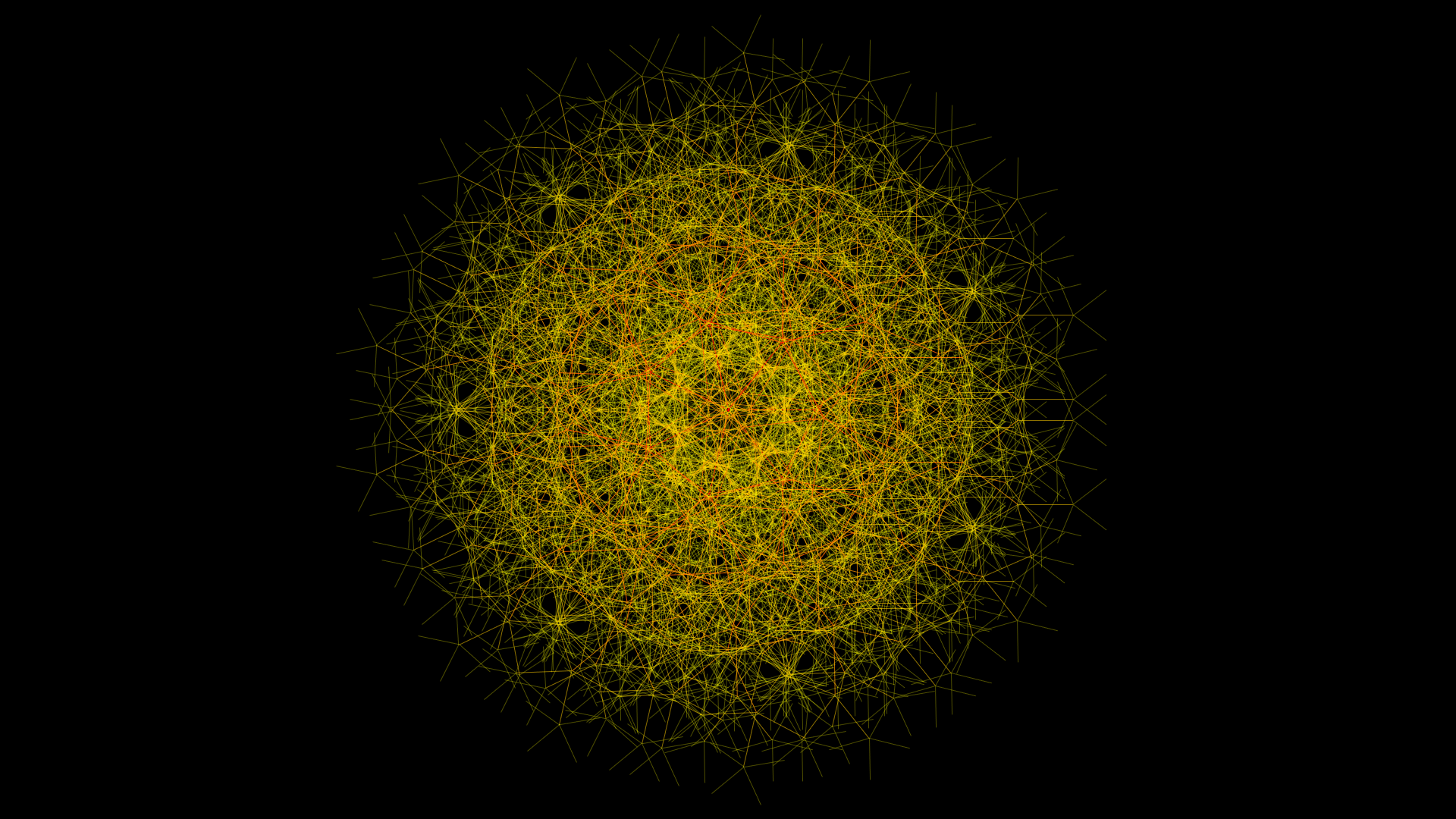
Fractal is created using:
Line – to represent each branch of the fractal
Group – to group all branches into a single composite object
StrokeStyle – to apply dynamic coloring and transparency based on depth
Note
Colors are interpolated between start_color and end_color using linear RGB blending.
Stroke opacity decreases quadratically with depth for a fading effect.
Output file: fractal.pptx